Alert FeiShu app notification
After the threshold is triggered send alarm information and notify the recipient by FeiShu app.
Operation steps
-
【FeiShu Open Platform】->【Create Custom App】->【Create】->【Add Features:Bot】
-
【Development Configuration】->【Permissions & Scopes】:Different types of notification objects require different API permissions, which can be opened as needed
Permission Name Permission code Designated User Designated Group Chat Designated Department All User Obtain user ID contact:user.employee_id:readonly ✓ ✓ Send messages as an app im:message:send_as_bot ✓ ✓ ✓ ✓ Obtain employee information in FeiShu CoreHR (Standard version) ehr:employee:readonly ✓ Send batch messages to members from one or more departments im:message:send_multi_depts ✓ Send batch messages to multiple users im:message:send_multi_users ✓ Attention⚠️:In the designated notification type of group chat,the application needs to be added as a robot to the group chat, to @someone, you need to enable the permission to 'obtain user ID'
Batch import scopes
{
"scopes": {
 "tenant": [
   "contact:user.employee_id:readonly",
   "im:message:send_as_bot",
   "ehr:employee:readonly",
   "im:message:send_multi_depts",
   "im:message:send_multi_users"
 ],
 "user": []
}
} -
【App Versions】->【Version Management & Release】->【Create a version】->【Save】->【Publish】
-
【Basic Info】->【Credentials & Basic Info】->【copy and save AppID and AppSecret】
-
【Notice Receiver】->【New Receiver】 ->【Choose FeiShu App method】->【Set AppID and AppSecret】-> 【Select Notice Object Type】-> 【Set the corresponding ID】
-
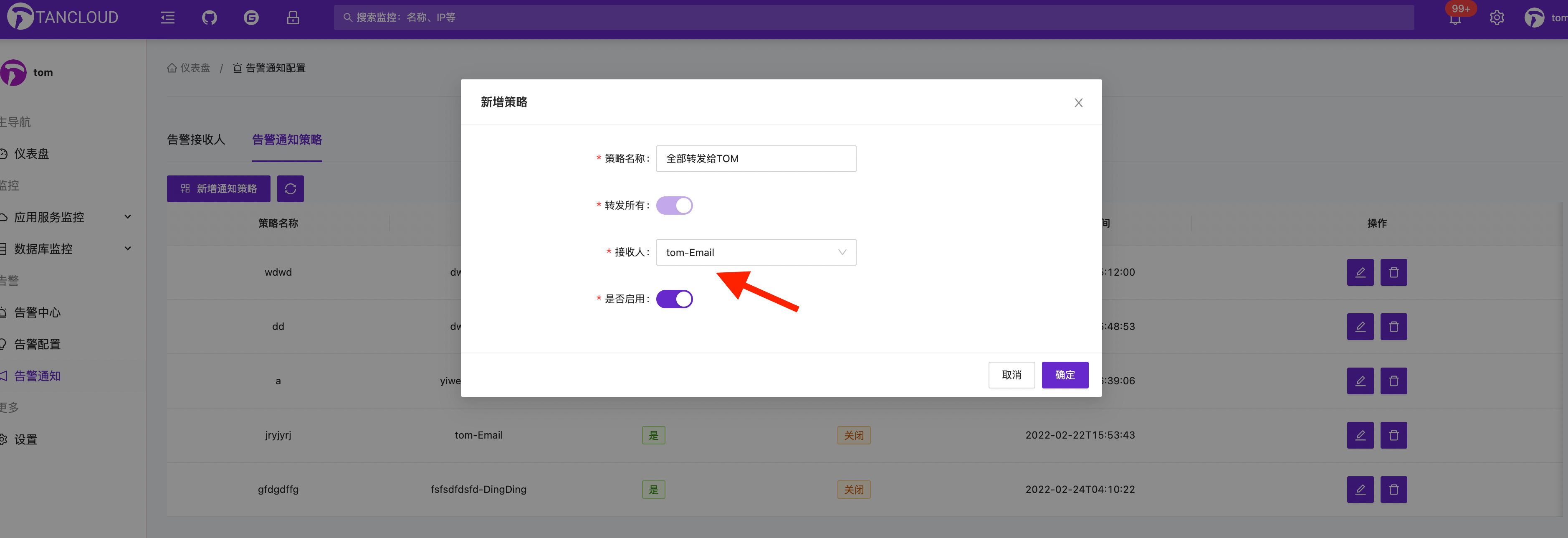
Configure the associated alarm notification strategy⚠️ 【Add new notification strategy】-> 【Associate the recipient just set】-> 【Confirm】
Note⚠️ Adding a new recipient does not mean that it is effective to receive alarm information. It is also necessary to configure the associated alarm notification strategy, that is, to specify which messages are sent to which recipients.
FeiShu app notification common issues
-
FeiShu app did not receive the robot alarm notification.
Please check whether there is any triggered alarm information in the alarm center.
Please check whether the AppID and AppSecret is configured correctly and whether the alarm strategy association is configured.
Please check if the user was within the available range when the application was published. -
How to @someone in a designated group chat
In the form for adding recipients, fill in the
User ID. If you need to @everyone, you can enterallin theUser IDfield. Multiple user IDs are also supported, separated by commas,. For detailed instructions on how to get the FeiShu user ID, please refer to: Get FeiShu user id -
How to obtain a chat ID
Please refer to: Chat ID description
-
How to obtain party ID
Please refer to: Department resource introduction
Other issues can be fed back through the communication group ISSUE!